



Buy UniFans Coins with Ramp Network | Crypto Series
July 2, 2026
5 mins read
This is a series of posts that teach you how to pay with credit card through crypto platforms to purchase coins. For the first one, lets go with Ramp Network.
Step 1: Access the Platform
Go to ramp.network and click the "Buy crypto" button on the homepage.
Step 2: Configure Your Purchase
Select Your Fiat Currency: Choose the currency you want to pay with (e.g., USD, EUR, GBP).
Select Your Crypto: Choose either USDT or USDC.
⚠️ Step 3: Match the Network (Crucial!)
Make sure the blockchain network you select on Ramp matches the exact same network you chose on UniFans.
Double-check your network before proceeding:
BSC (BNB Smart Chain)
ERC20 (Ethereum)
Polygon
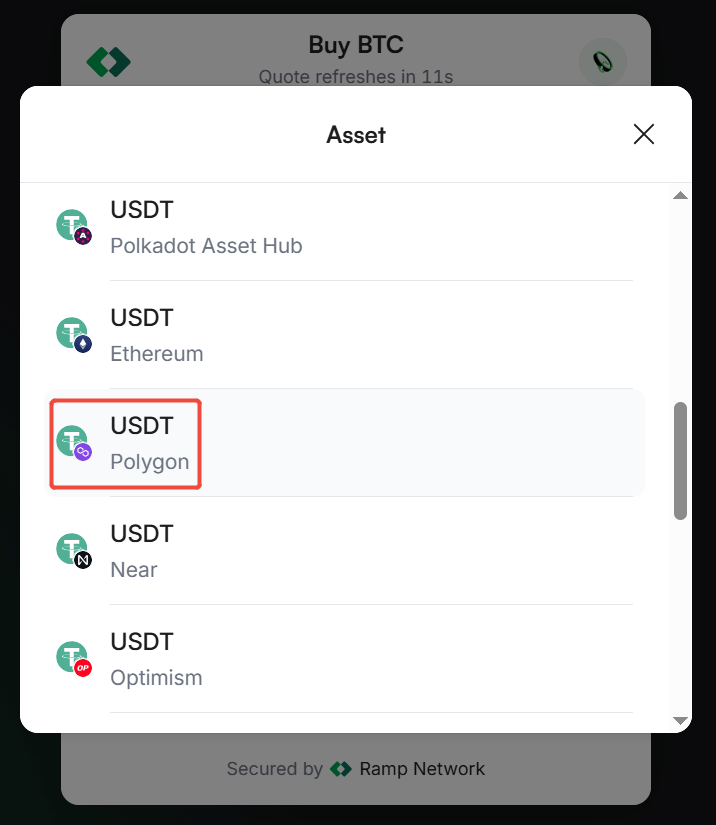
Step 4: Account for Fees and Adjust Amounts
When entering the purchase amount, keep in mind that crypto platforms charge processing fees and network gas fees. You will see the final breakdown on the checkout page. If the final crypto amount received doesn't match what you need, simply go back and adjust your purchase amount.
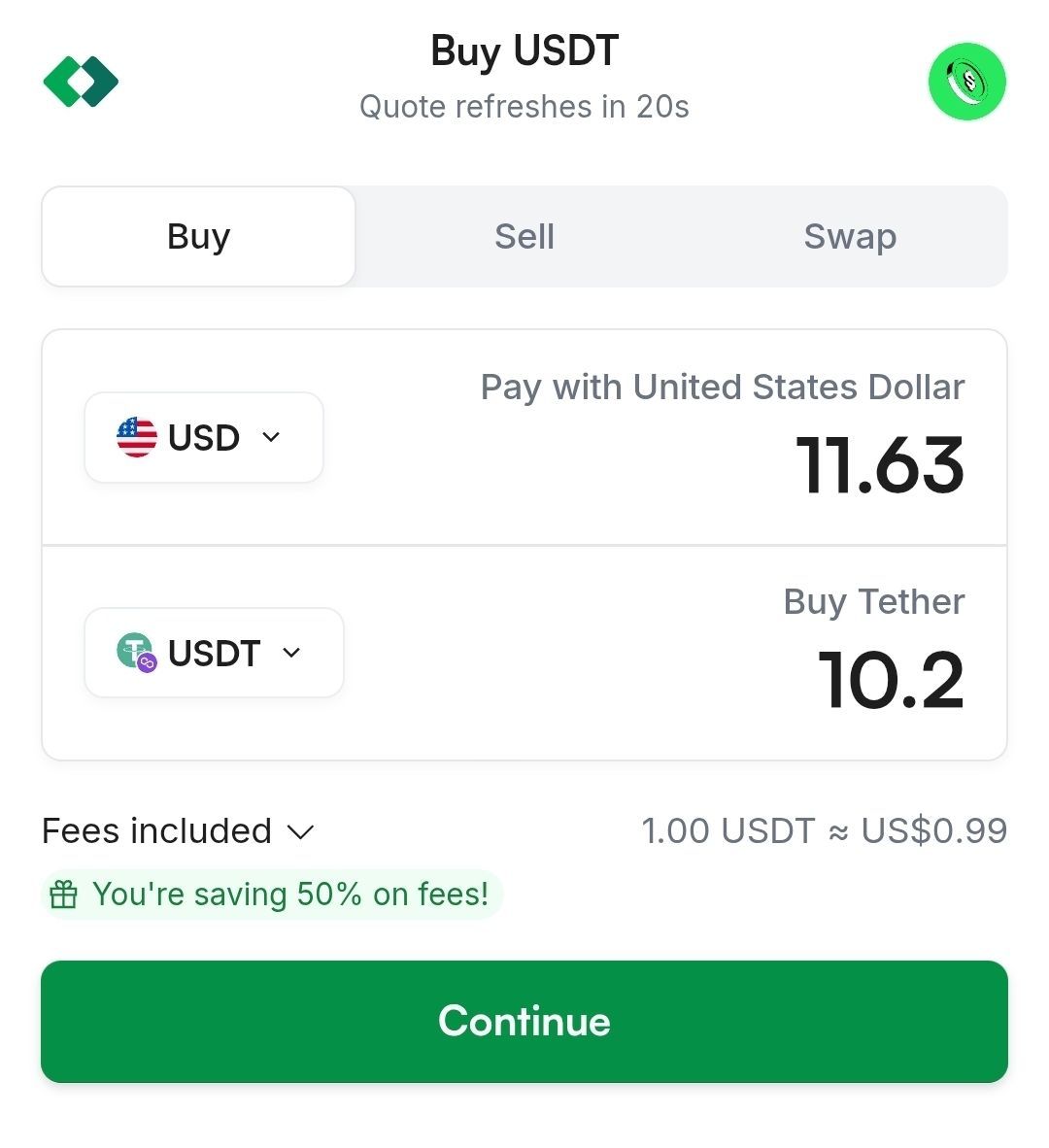
Step 5: Enter Your Details & Review the Total
Enter the wallet address provided by UniFans and your credit card information.
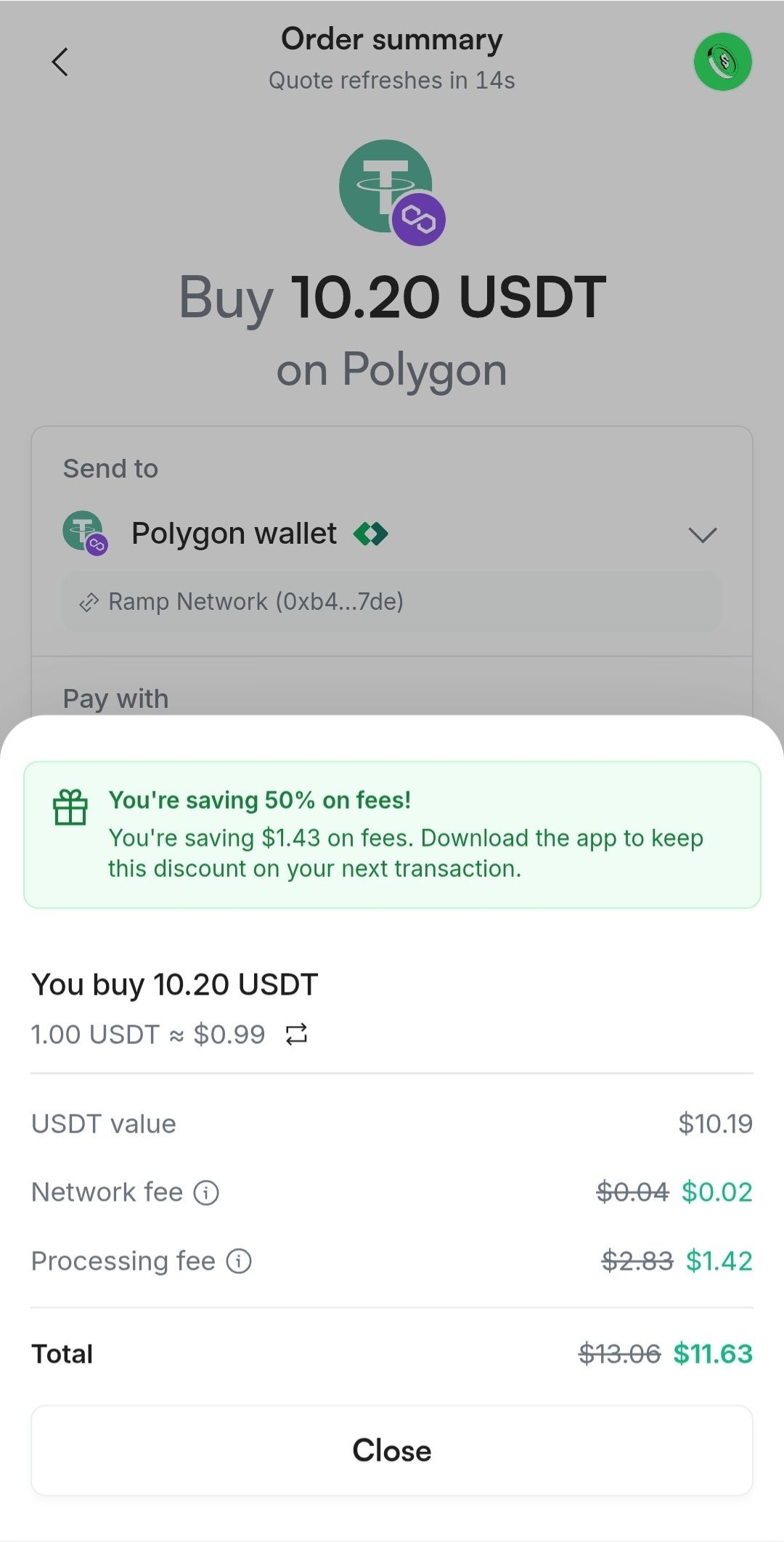
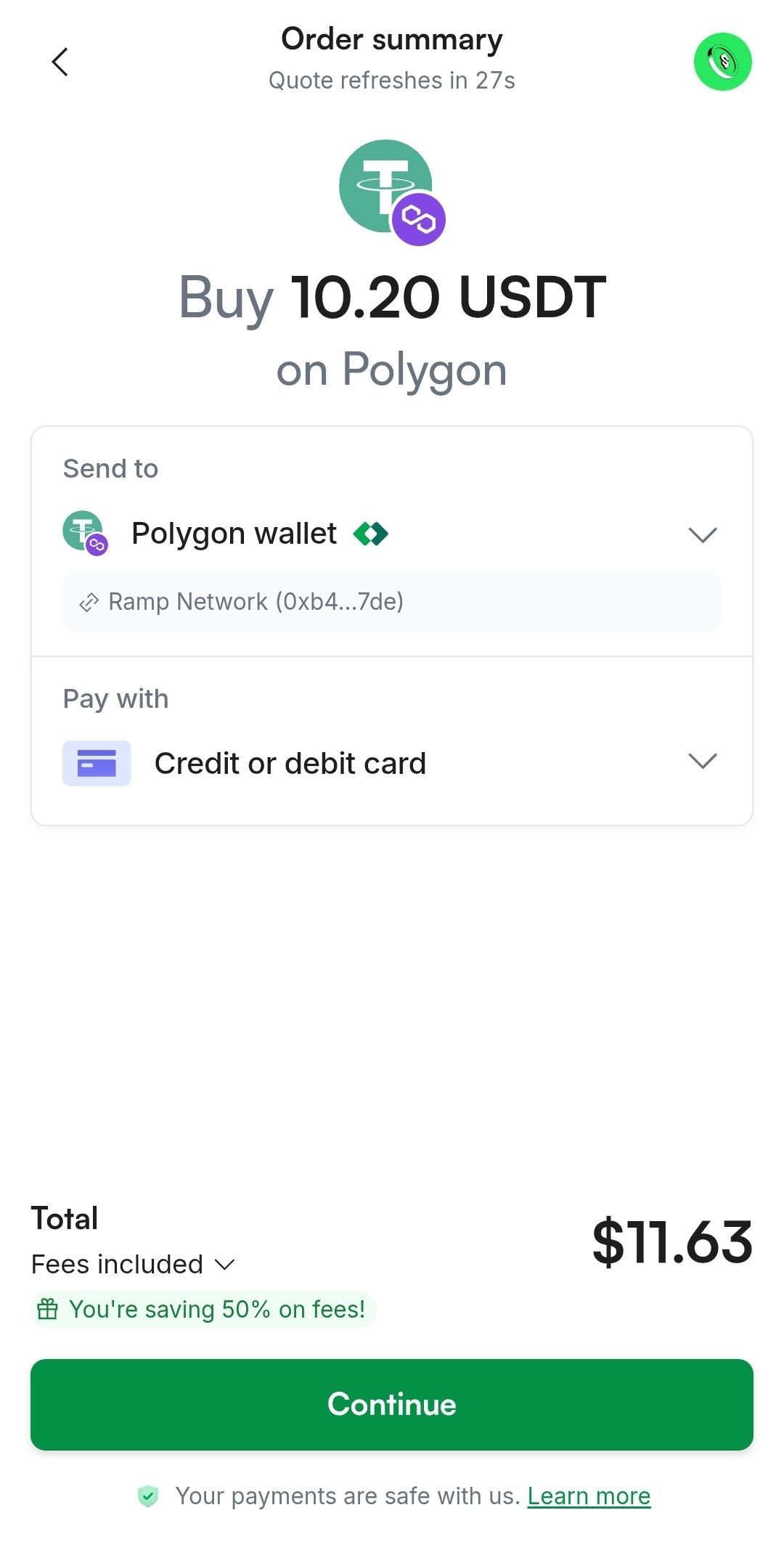
💡 Cost Example: If UniFans requests 10.2 USDT, your breakdown might look like this:
Requested Amount: 10.2 USDT
Network Fee: $0.02
Processing Fee: $1.42
Total to Pay: $11.63 USD
Pro-Tip: To keep your transaction fees as low as possible, we highly recommend using the Polygon network.
Step 6: Final Review
In short, to ensure UniFans receives the exact 10.2 USDT required for your 100 coins, your final credit card charge in this scenario would be $11.63 USD.
⚠️ Critical Security Warnings
Supported Networks Only: We only operate on BSC, ERC20, and Polygon.
DO NOT Use Base or Arbitrum: We do not support networks like Base or Arbitrum. Sending funds via unsupported networks will result in your payment being permanently lost, and we cannot recover it.
Need Help?
If anything goes wrong or your payment doesn't go through, please don't hesitate to reach out! Contact our in-app support or email us at support@unifans.io. We will respond and help you resolve the issue within 24 hours on weekdays.
立即注册 UniFans 引力圈, 轻松自由地创作吧!
立即注册 UniFans 引力圈, 轻松自由地创作吧!
nOTE:
Only team owners can access this feature. Please ask your team owner to access this feature.
RELATED CONTENT
Learn what triggers Patreon to ban your account, what content is not allowed, and steps on how you can get your account back.

For those creators who have international fans paying foreign currency, you are losing 10 to 20% of income from fees. Learn more how to save with UniFans.

UniFans Content Team
UniFans' content writing team is a group of creative storytellers dedicated to crafting engaging and insightful content for the digital world, specializing in topics that resonate with influencers and online content creators.